
Start with Stats for day-to-day oversight, then use Reports for a longer view. Choose the correct warehouse location before drawing conclusions.
Review the dashboard
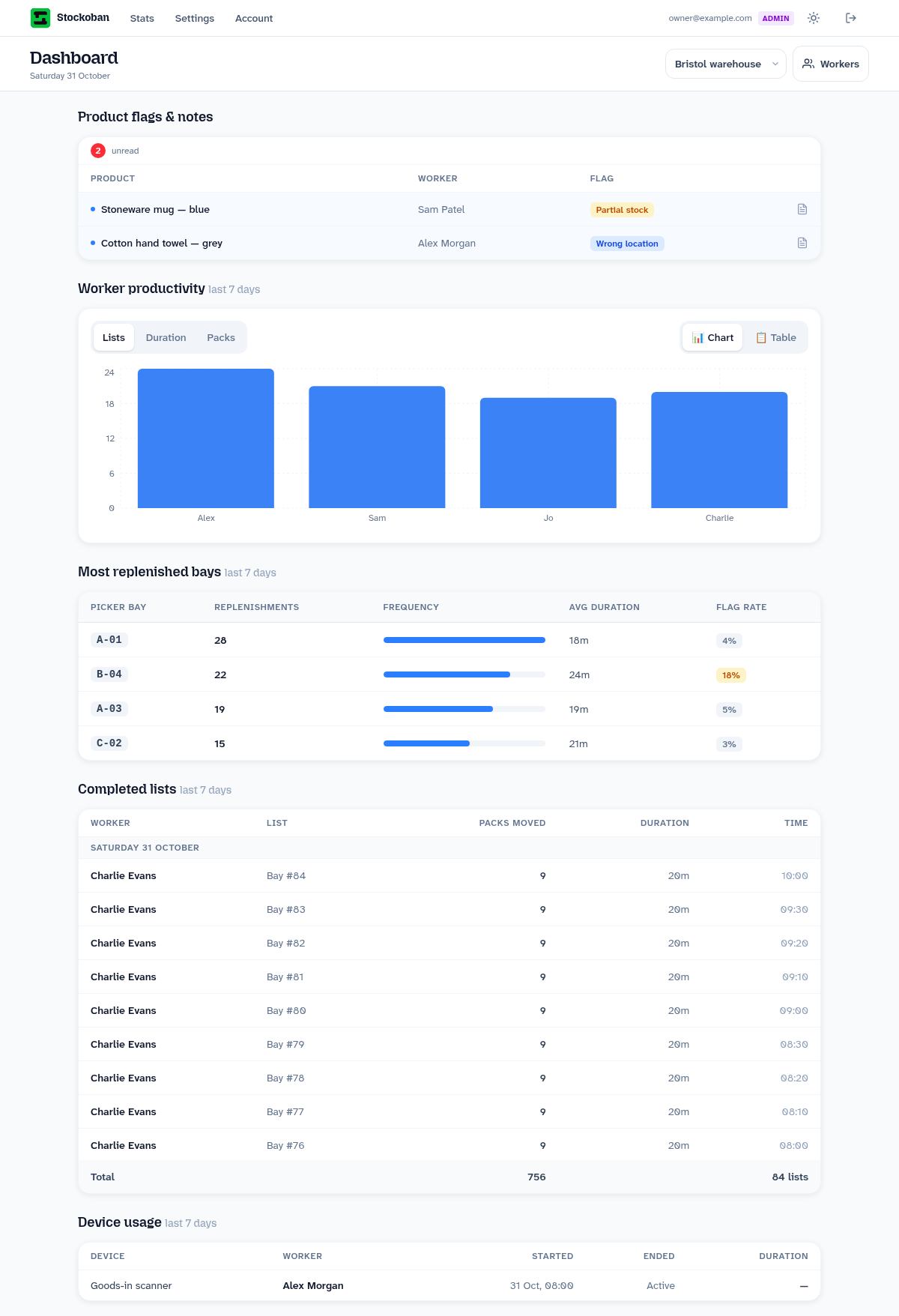
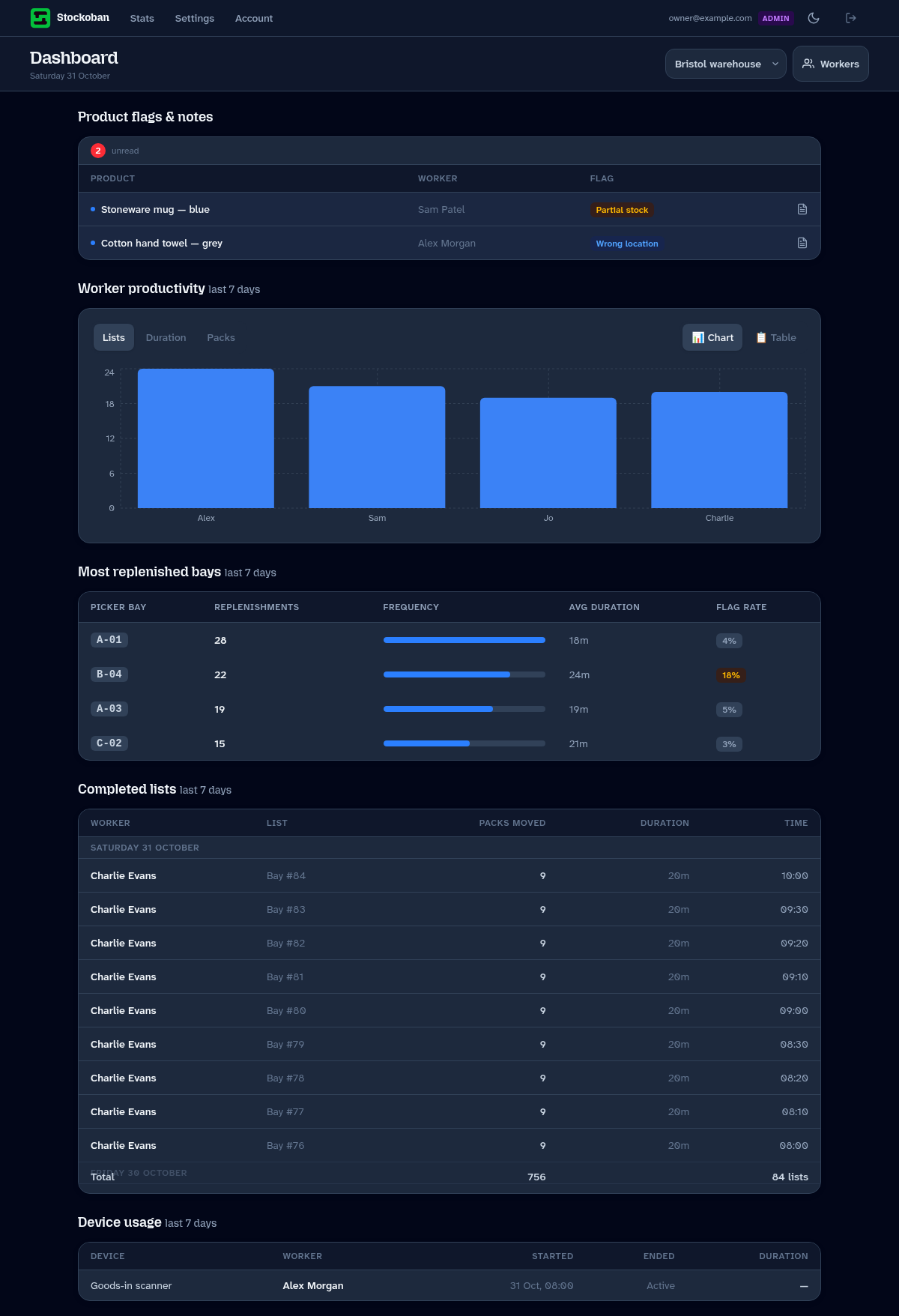
- Open Stats and choose your location.
- Review Product flags & notes. Open an item for the colleague's note and the reported problem; acknowledge it after reviewing it.
- Check Worker productivity for the last seven days. Switch between lists, duration and packs, and between chart and table views.
- Review Most replenished bays to see which shelving areas were topped up most often.
- Review Completed lists for who finished the work, packs moved and recorded duration. Device usage helps you see who used a shared device and when.
Reading or acknowledging a flag is not the same as fixing the underlying stock problem. Arrange the investigation and any correction in Veeqo separately.
Use the reports
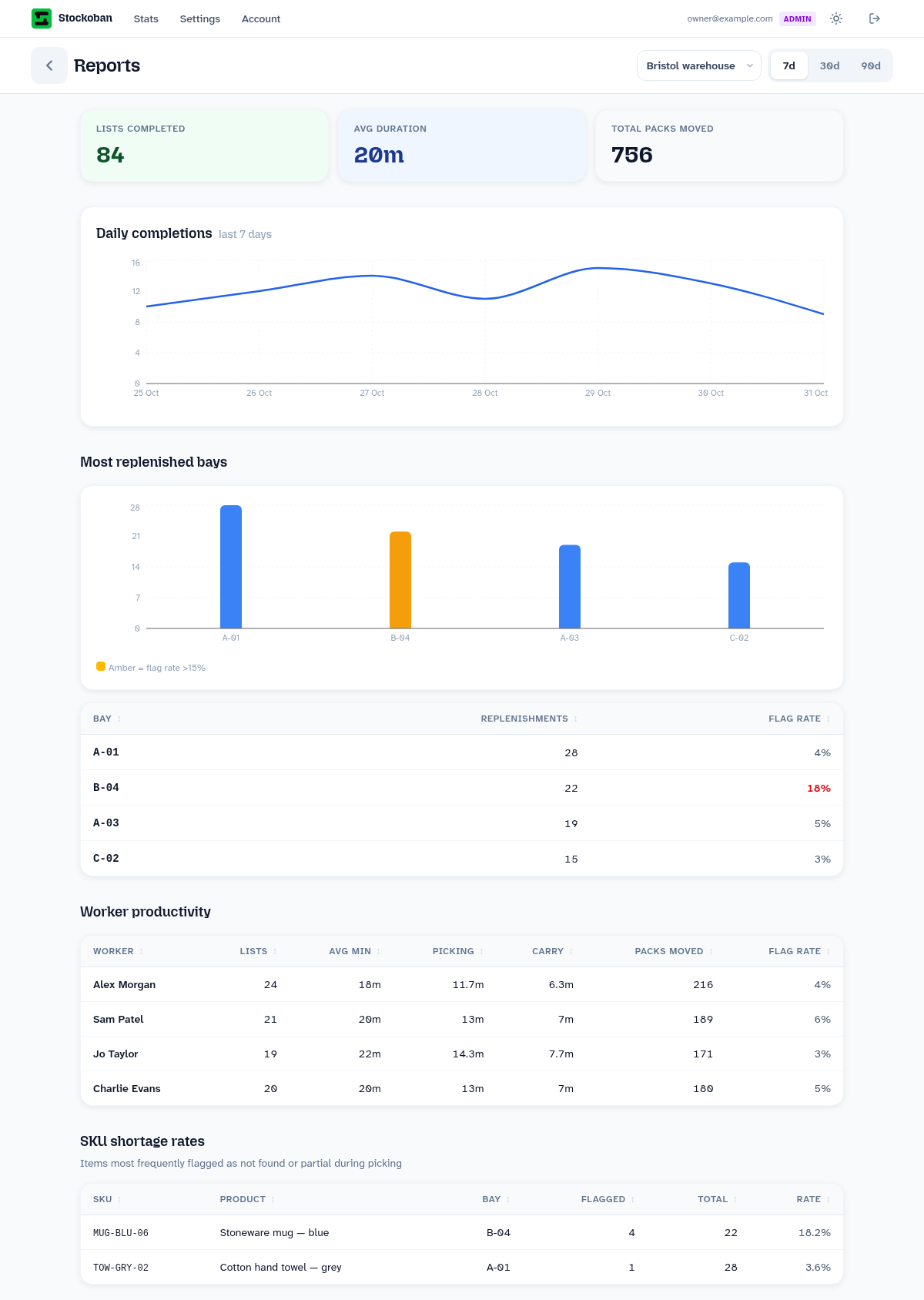
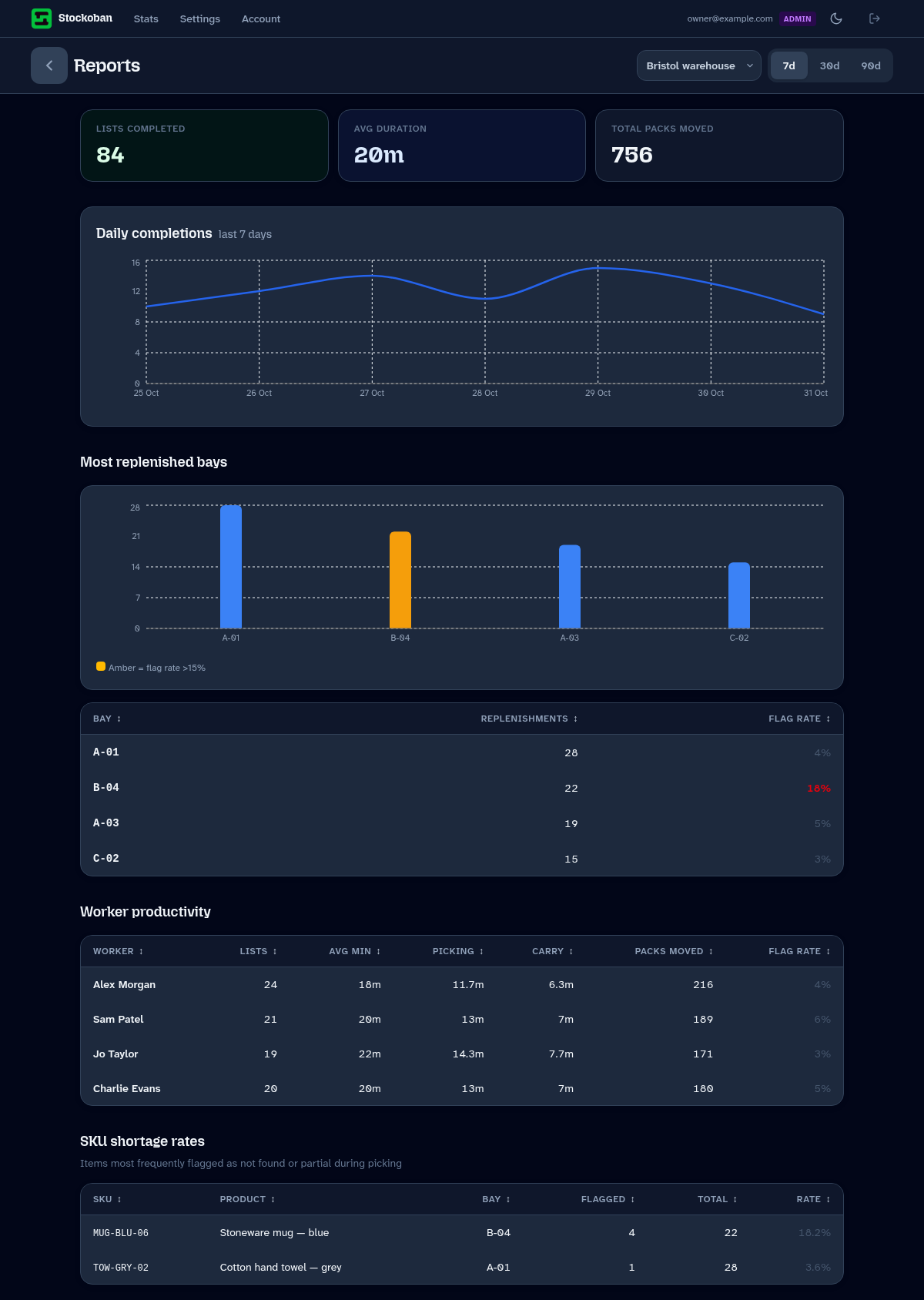
- Open Reports while signed in as an administrator or manager.
- Select the warehouse and a period of 7, 30 or 90 days.
- Review completed lists, average duration and total packs moved.
- Use the daily charts to see how recorded work varies across the period.
- Compare bay frequency, worker productivity and product shortage rates to find questions worth investigating.
What the figures tell you
| Figure | What it means in practice |
|---|---|
| Lists completed | Finished jobs in the selected location and period. A long list and a short list each count as one. |
| Packs moved | Packs recorded against the work. Pack sizes vary, so it is not a direct comparison of physical volume or effort. |
| Average duration | The reported average of worker averages for list duration. It is a guide to timing, rather than a precise cost per job. |
| Picking time | Time recorded from starting a list to its all-picked stage, where that stage is available. |
| Carrying time | Time from the all-picked stage to completion. It can include other delays if completion is recorded late. |
| Bay frequency | How often a shelving bay has been replenished. A busy bay may merit a review of picking-space capacity. |
| Flag or shortage rate | The share of relevant recorded items with a reported problem. Open the notes to understand what actually happened. |
A stock snapshot is the imported stock position at a point in time. It is not a live physical count of a particular shelf. Recorded timing also depends on accurate starts, pauses and completion.
Turn a pattern into an action
Suppose B-04 appears repeatedly and the blue mugs show four partial-stock flags in 22 recorded checks. Check the notes and reserve location first. A stock count or a location correction may be more useful than asking the team to work faster.
If carrying time is high across several colleagues, walk the route with the team. Distance, congestion or where equipment is kept may explain the pattern. If one bay needs frequent top-ups, review the space allocated there.
Use comparisons fairly: list size, product weight, route length, training and stock exceptions all affect a job. Agree a small change, run more lists and review the next period together.
When information looks incomplete
Check the location and period, whether lists were completed and whether devices have sent their changes after reconnecting. A new account has no history until the team records work. Do not treat a missing figure as zero activity without checking these points.